 munchy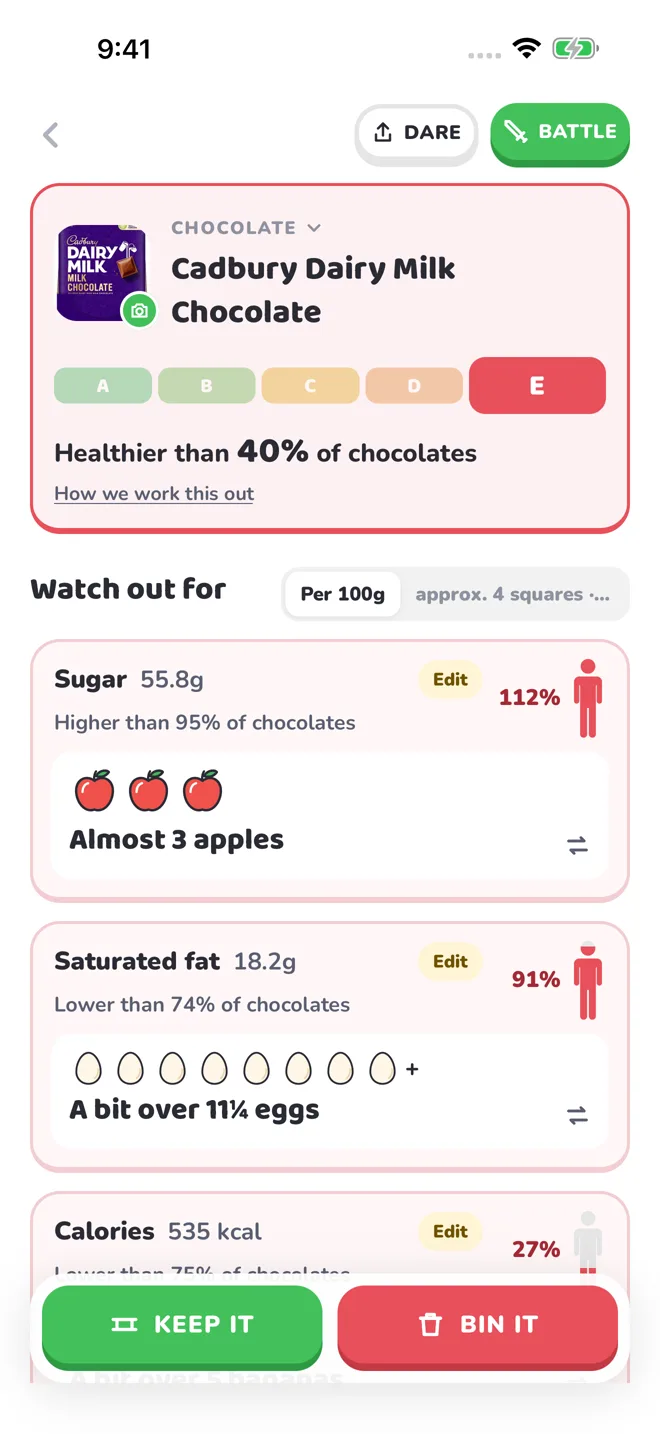
How to make a useful supermarket comparison
Start with two foods that do the same job: breakfast cereal with breakfast cereal, or yoghurt with yoghurt. The point is to find a useful alternative for your basket, rather than pit an apple against a chocolate bar. Scan each barcode, then capture a clear nutrition table when Munchy asks for one. Keep the product name and values visible so you can check that the result matches the pack.
Put both packs on the same basis
Pack sizes and suggested servings differ. Use per 100g for comparable solid foods, or per 100ml for comparable drinks, before looking at the portion you expect to eat. NHS guidance explains how nutrition labels help people compare products. The original numbers still matter: Munchy's pictures and grades make them easier to explore, while the label remains the reference.
Read more: NHS: Food labels
Look at the trade-offs
A lower sugar value does not tell you everything about a food. Look across the available nutrient rows and notice what changes between the two packs. Perhaps one has less sugar while the other has more fibre. Munchy's Battle shows the selected comparison criteria and the final breakdown, so you can see the reasoning rather than rely only on a winner badge.
Make your next choice memorable
Keep a favourite on your shelf to find it again. Familiar food equivalents help you remember a quantity; your hamster adds a little personality to the discovery. You do not need a perfect basket or a new diet plan to start understanding one regular purchase.
Your questions, answered
Can Munchy tell me whether my whole diet is healthy?
Munchy explains and compares packaged-food information. It does not assess everything you eat or provide a personalised diet plan.
What if a barcode is missing from the database?
Munchy can read a clear photo of the nutrition table. Check extracted values against the packaging, especially serving sizes and units.
Make your next label make sense.
Explore Munchy's scans, comparisons and playful food equivalents.
App StoreGoogle PlayStore availability depends on your region and release status. Food and activity equivalents are estimates. Munchy explains product information; it does not prescribe a diet or measure health outcomes.
Sources and context
General guidance below provides context for reading labels; it is not an endorsement of Munchy's scoring or estimates.